
MobiBenchMeasure your device's CPU and GPU performance
MobiBench is a free Android app that measures your phone's CPU and GPU performance with timed benchmark tests of about 60 seconds each, plus live system monitoring. Every score is calculated from what your device actually does during the run.
Tests run inside the app on your Android device. This website is a showcase and doesn't run any benchmarks.
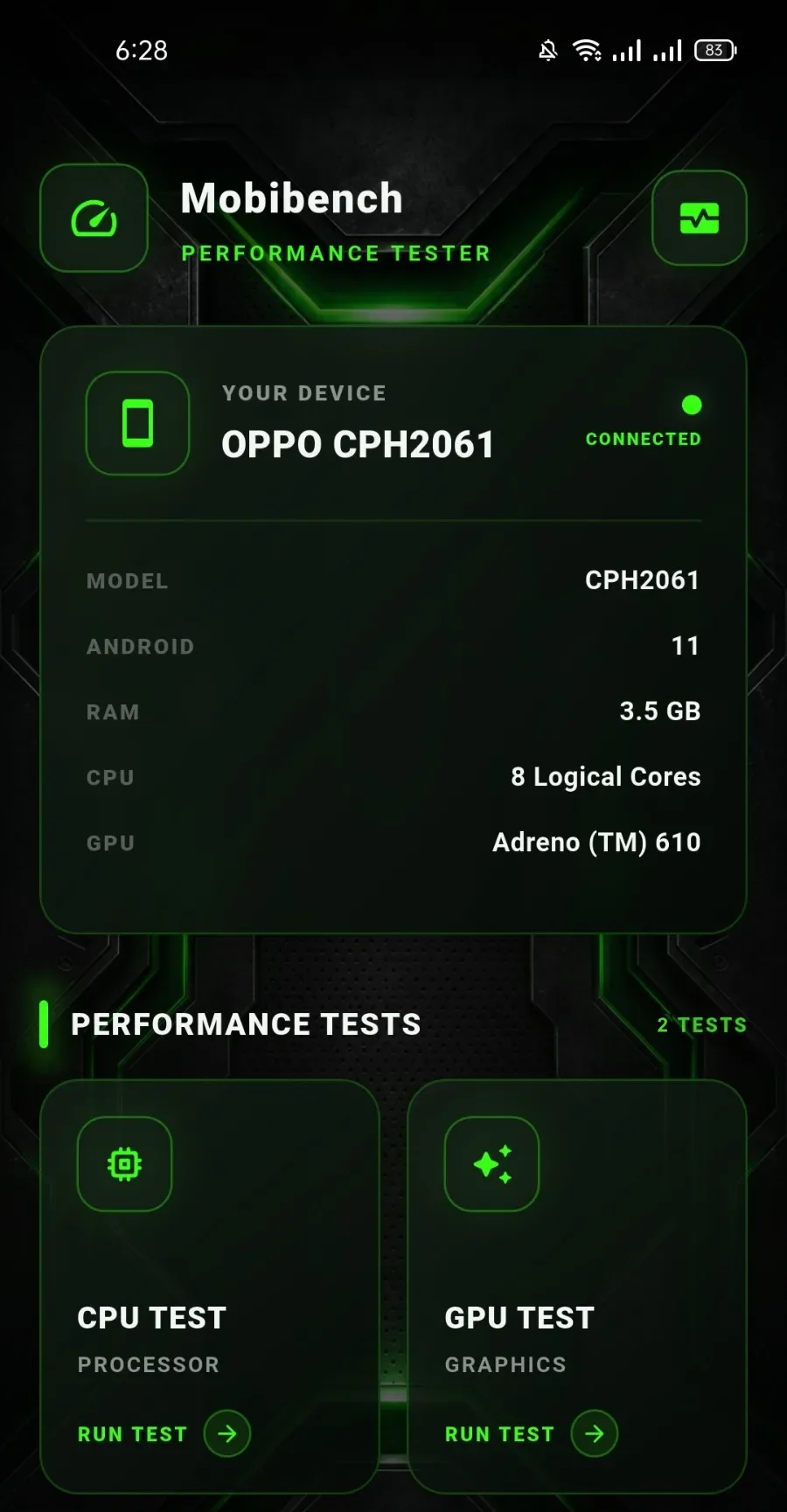
Screenshots from a test run. Results vary by device.
01Overview
One app, two timed benchmarks and live monitoring
MobiBench turns your phone into its own test bench. Run a CPU stress test or a 3D GPU test, each lasting about 60 seconds, and get a score built from the performance your device actually measured.
Between runs, the system monitor shows what the device is doing right now. Everything happens inside the Android app.
02System Monitoring
See what your device is doing, live
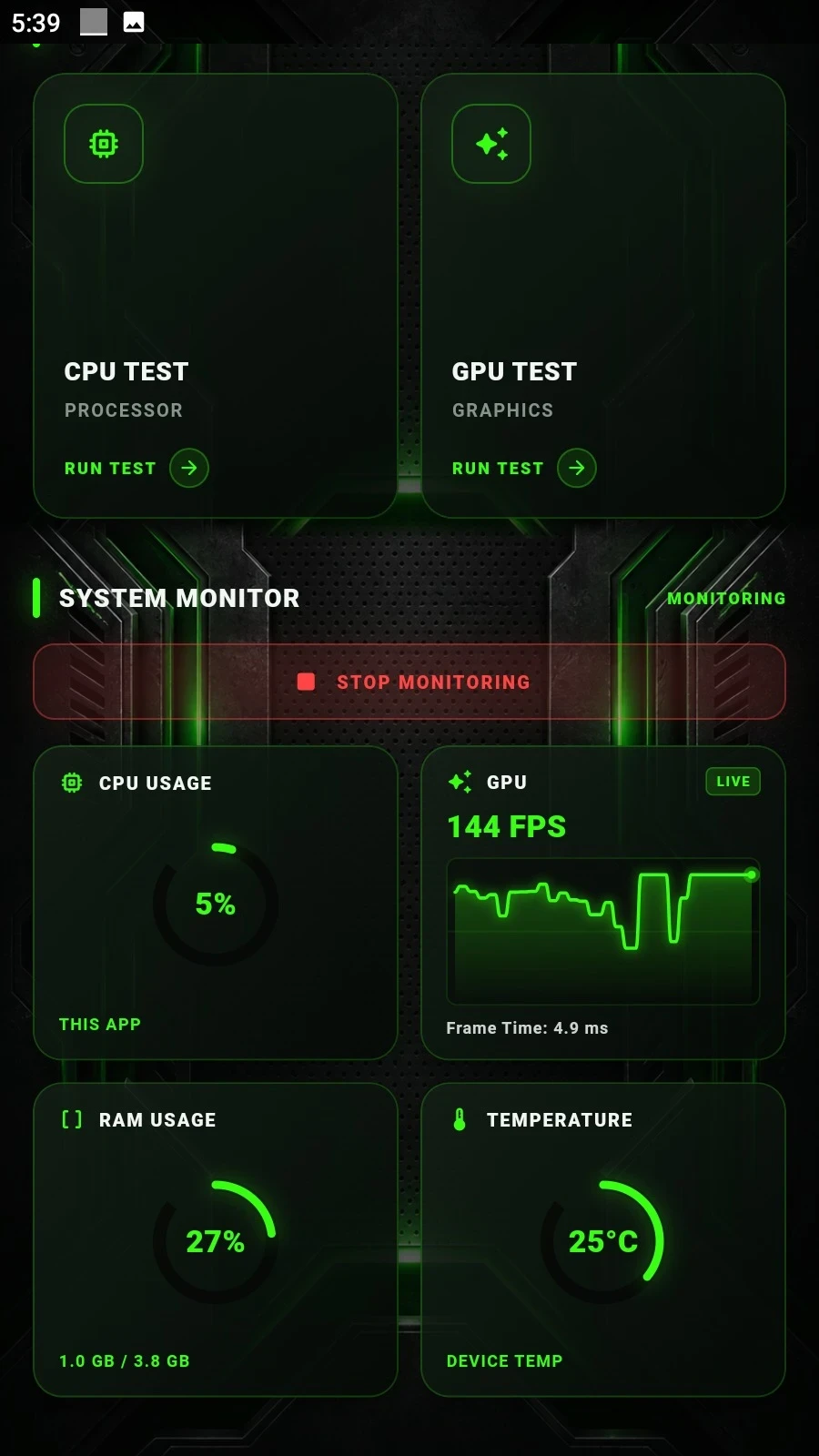
The system monitor shows live readings while you use your phone. Start it when you want to watch and stop it whenever you like.
Live readings
- CPU usageHow much processor time the app itself is using, shown as a live ring gauge.
- GPU frame rate and frame timeLive FPS with a rolling line chart, plus the time each frame takes to render.
- RAM usageMemory in use compared with the device's total memory.
- Device temperatureThe temperature the device reports, updated as you watch.
03CPU Stress Test
Push the processor and measure what it delivers
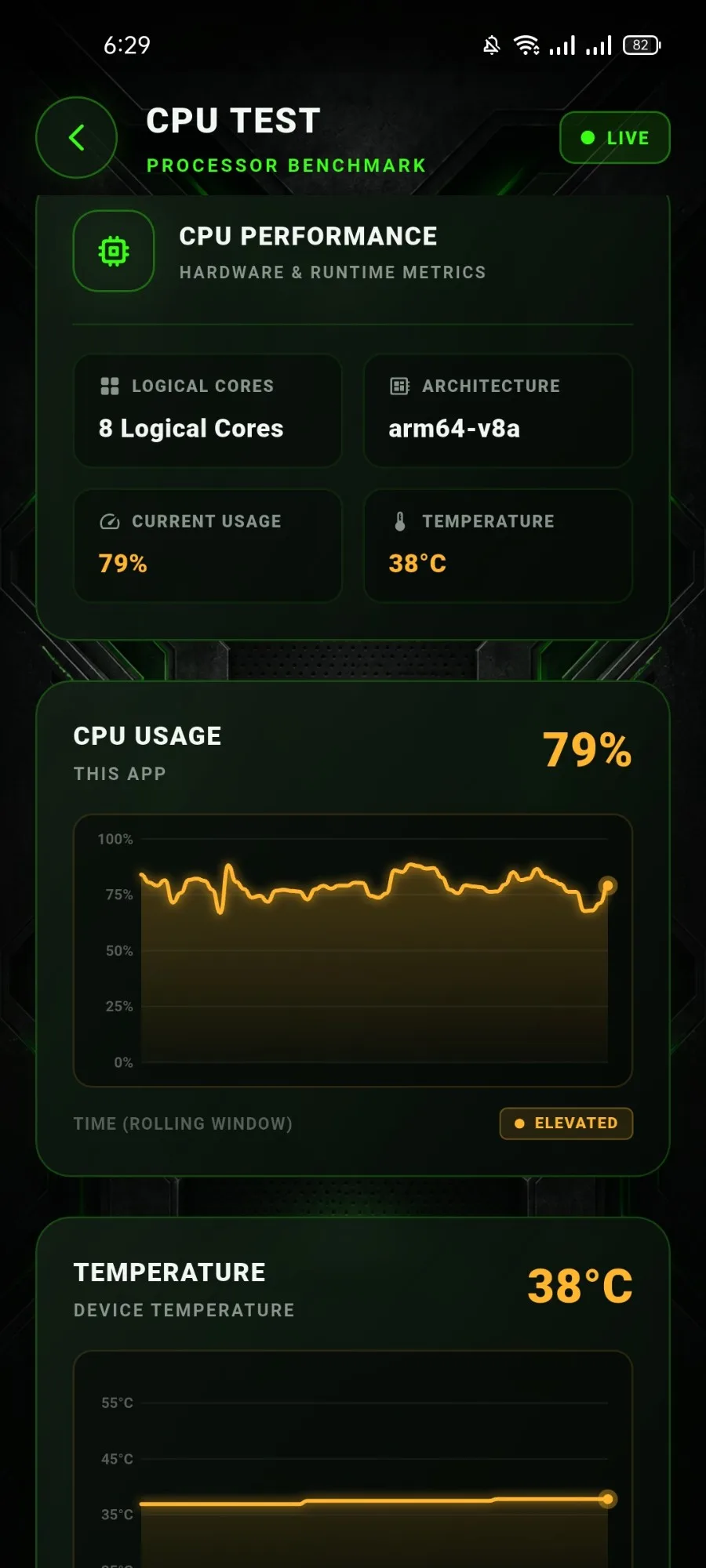
The CPU stress test runs computationally intensive work for about 60 seconds. It measures real processing performance and device temperature as it goes, with live charts so you can watch the load and the heat build.
Your phone will work hard
Before the test starts, MobiBench warns you that it puts the device under heavy load and that the device may heat up. Sustained load produces heat, so it's worth letting your phone cool down between runs.
What you get
- CPU scoreCalculated from the work completed during the run.
- Live CPU usage graphThe app's CPU usage over a rolling window while the test runs.
- Live temperatureDevice temperature tracked throughout the run.
- CPU informationLogical cores, architecture and current usage.
- Countdown and progressSeconds remaining and a progress bar for the timed run.
04GPU Test
A 3D hologram workload for your graphics chip
The GPU test renders and animates a detailed 3D brain-hologram model for about 60 seconds and measures how smoothly your device keeps up. The model is the benchmark workload, not a downloadable asset.
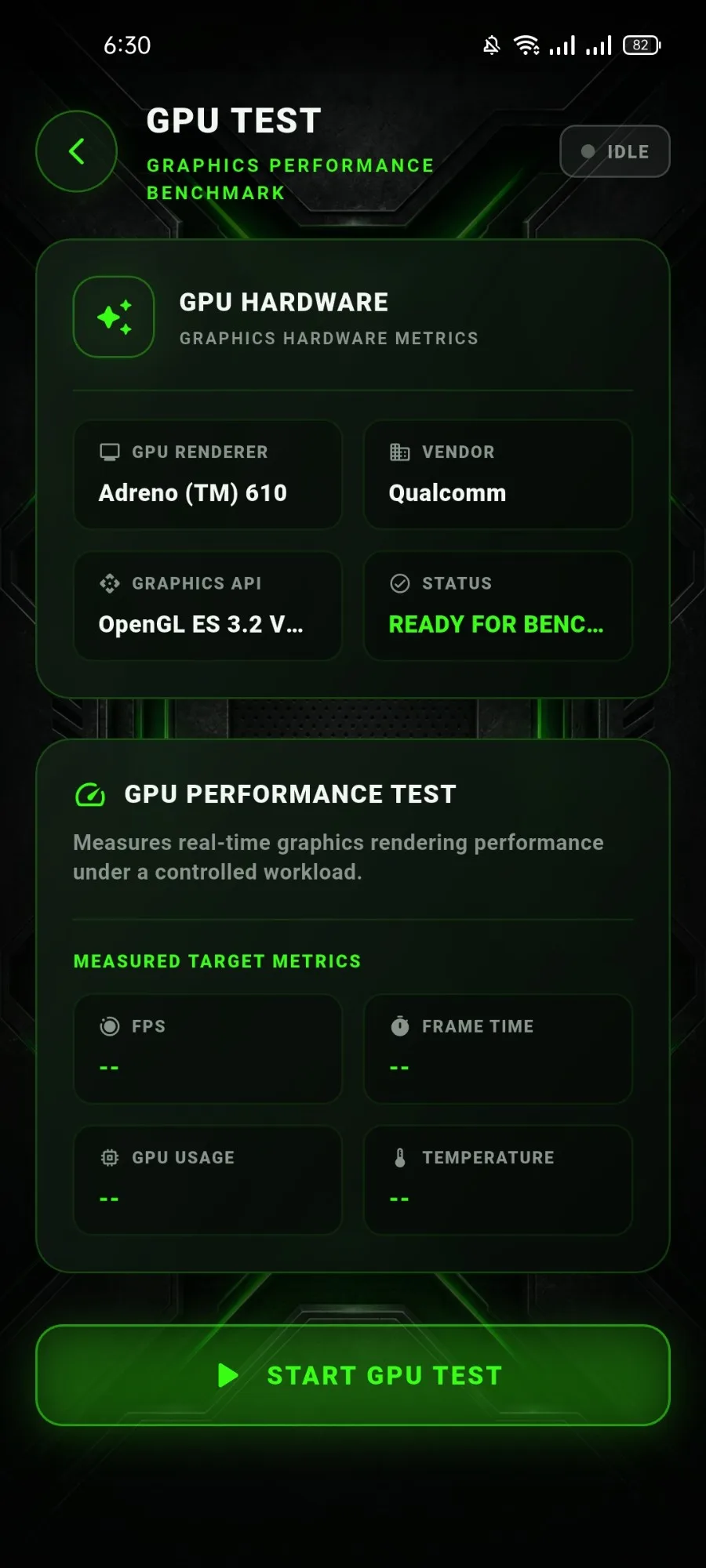
Before the run, the GPU test shows your GPU renderer, vendor and graphics API version. When the run ends, a results screen shows the GPU score alongside the numbers behind it.
What the GPU test reports
- FPSFrames rendered per second, live during the run.
- Average FPSThe mean frame rate across the whole run.
- Minimum FPSThe lowest frame rate recorded.
- Maximum FPSThe highest frame rate recorded.
- Frame timeHow long frames take to render.
- TemperatureDevice temperature at the start of the run.
- Peak temperatureThe highest temperature reached during the run.
- GPU scoreCalculated from the measured rendering performance.
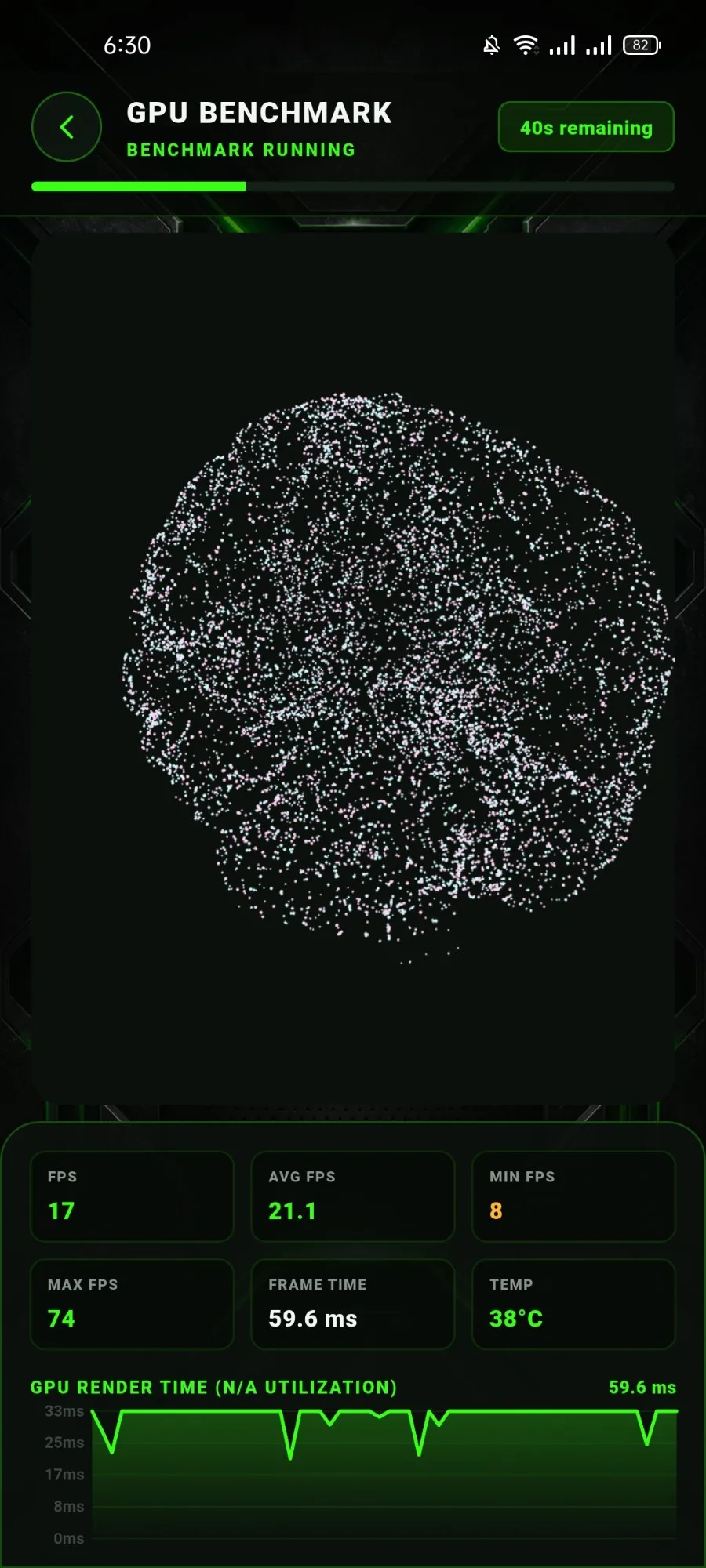
Screenshots from a test run. Results vary by device.
05Features
Everything in one place
A compact toolkit for understanding how your Android device performs.
Device information
Model, Android version, RAM, CPU logical cores and GPU at a glance, plus GPU hardware details (renderer, vendor, graphics API) in the GPU test.
Live system monitoring
CPU usage, GPU frame rate and frame time, RAM usage and device temperature, updated live.
Benchmark results
A results screen after each test with the score and the measurements behind it.
Performance metrics
FPS, frame time, usage and temperatures, all measured on your device during the run.
06FAQ
Questions, answered
Short, straight answers about what MobiBench does and how it measures.
What is MobiBench?
MobiBench is an Android app that measures your phone's CPU and GPU performance. It runs timed benchmark tests on the device and includes live system monitoring.
Is MobiBench free?
Yes, MobiBench is free to download on Android.
Does this website run benchmarks?
No. This website only showcases the app. Every test runs inside the MobiBench Android app on your own device, never in your browser.
How long do the CPU and GPU tests take?
Each test runs for about 60 seconds.
How is the CPU score calculated?
The CPU score is calculated from the work your device actually completes during the stress test. It is not looked up from the device name, model or brand.
What does the GPU test measure?
The GPU test renders and animates a detailed 3D brain-hologram model for about 60 seconds. It reports FPS, minimum, maximum and average FPS, frame time, temperatures and a GPU score based on the measured performance.
Why does GPU utilization show N/A?
Many Android devices don't expose per-app GPU utilization. When no legitimate measurement is available, MobiBench shows N/A instead of estimating a number.
Will my phone get warm?
It can. A benchmark puts sustained load on the processor, which produces heat, so MobiBench shows a warning about device load and heating before the CPU stress test starts.
What does System Monitoring show?
Live readings of the app's CPU usage, GPU frame rate and frame time, RAM usage and device temperature, which you can start and stop at any time.
07From the guides
Understand your results
Plain-English explainers on heat, frame rates and testing fairly.
Put your device to the test
MobiBench is free on Android. Get it and run the CPU and GPU benchmarks on your own phone.